
📢 EWova 29 Version Update Announcement!
New group interaction features fully activated, supporting both public and private courses! Platform interface optimization and continuous performance improvements!
Dear EWova users:
EWova version 29 has been officially released! This version focuses on comprehensive upgrades to course interaction experiences, and multiple optimizations addressing system stability and usage details reflected by teachers. We invite everyone to experience more flexible and smoother teaching workflows!
🆕 New Features:
Group Function Fully Activated
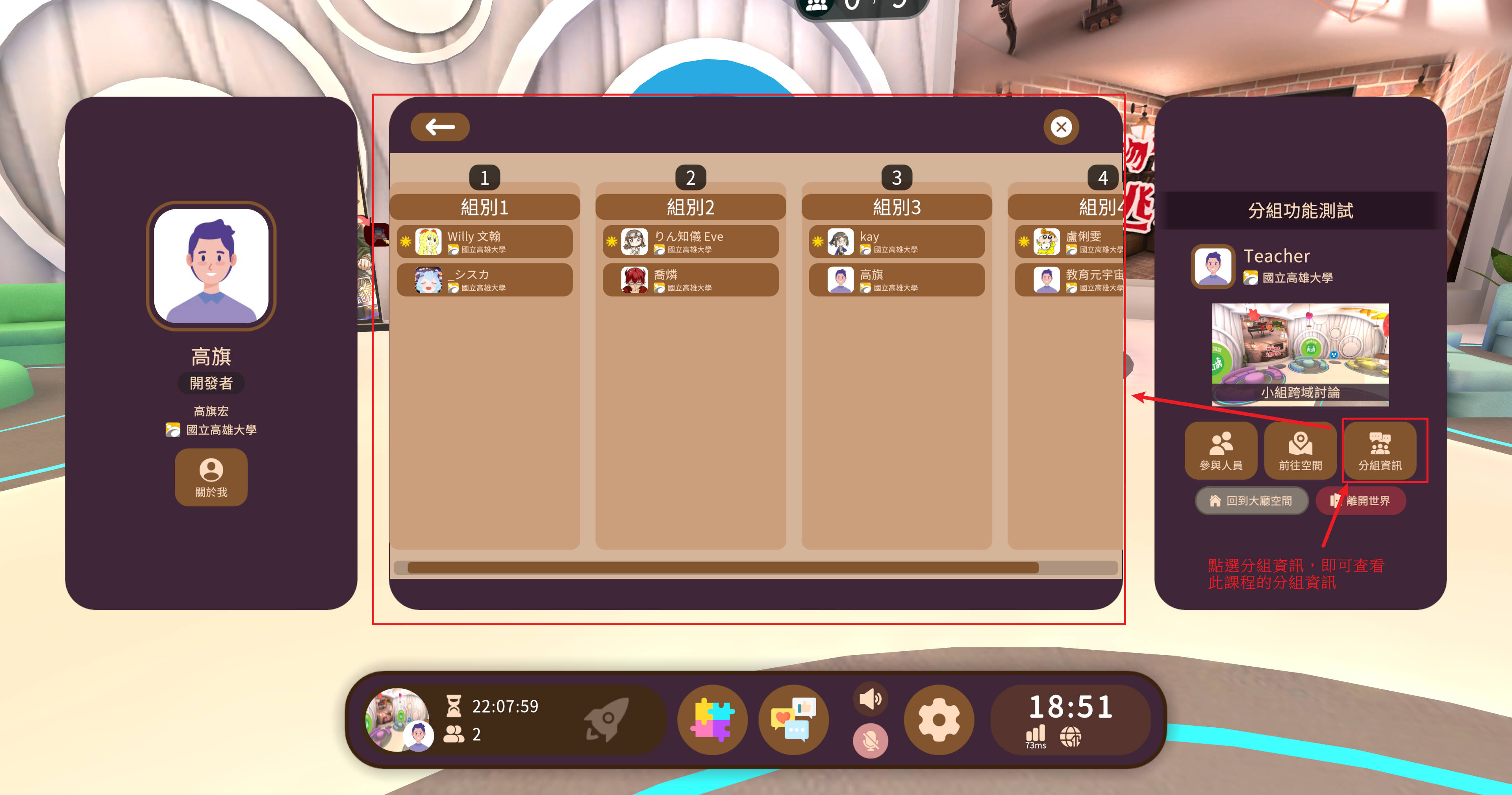
When adding classes, group settings can now be configured. Each class can be divided into up to 4 groups, with up to 9 students per group, and 1 group leader can be manually assigned per group.
This group information will be automatically applied to courses when creating them, improving in-class interaction efficiency and flexibility.
Each group corresponds to a lounge area in the course, and group leaders have screen playback control permissions to help guide group learning.
Group function now supports both "public courses" and "private courses"!
Additionally, it supports cross-organizational members joining groups, making classes more flexible.
- 🔔 Reminder: Group participants are based on the class student list. To support cross-organizational member participation, please select "public course" when creating courses.
New Interface Support
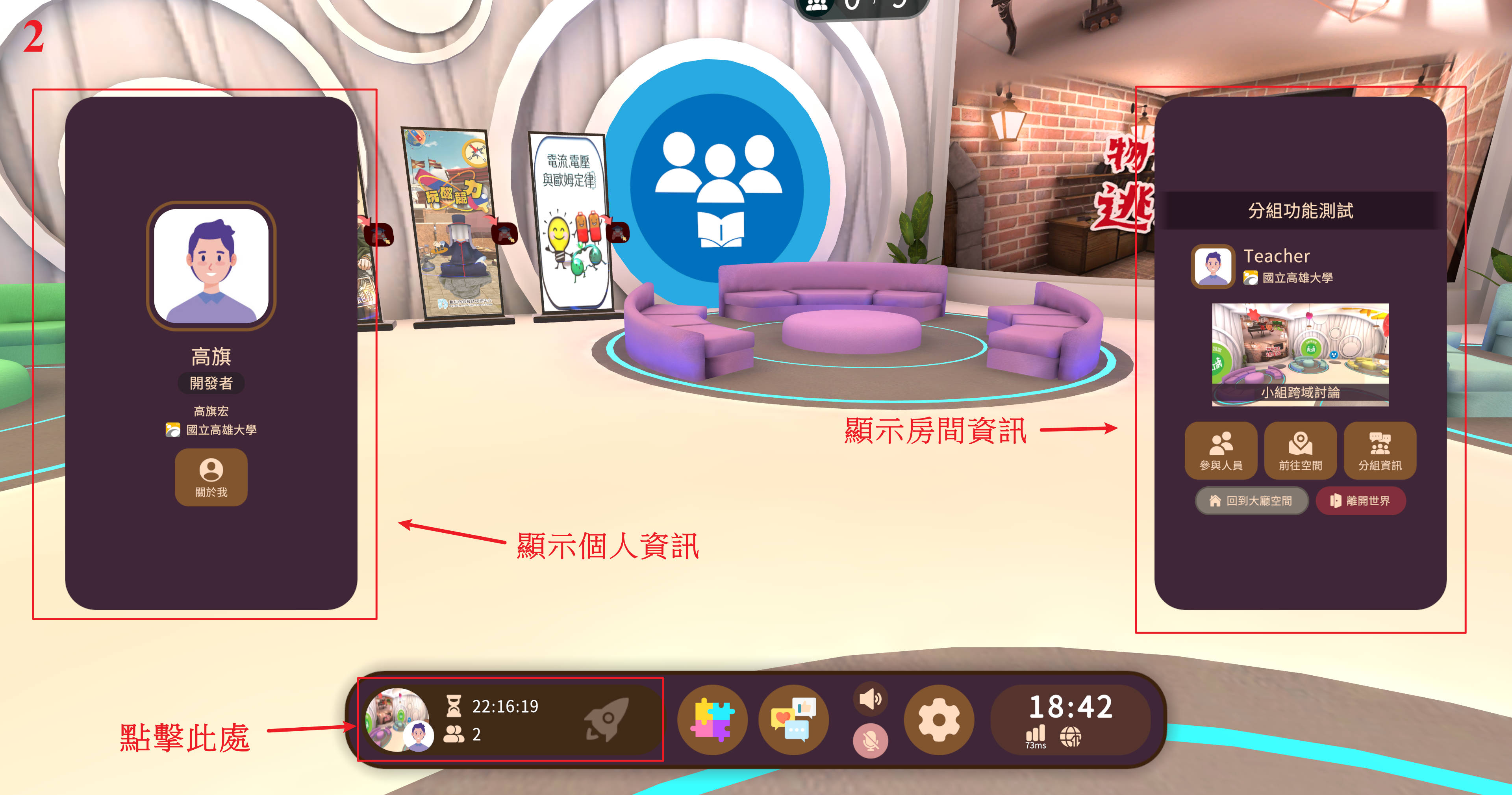
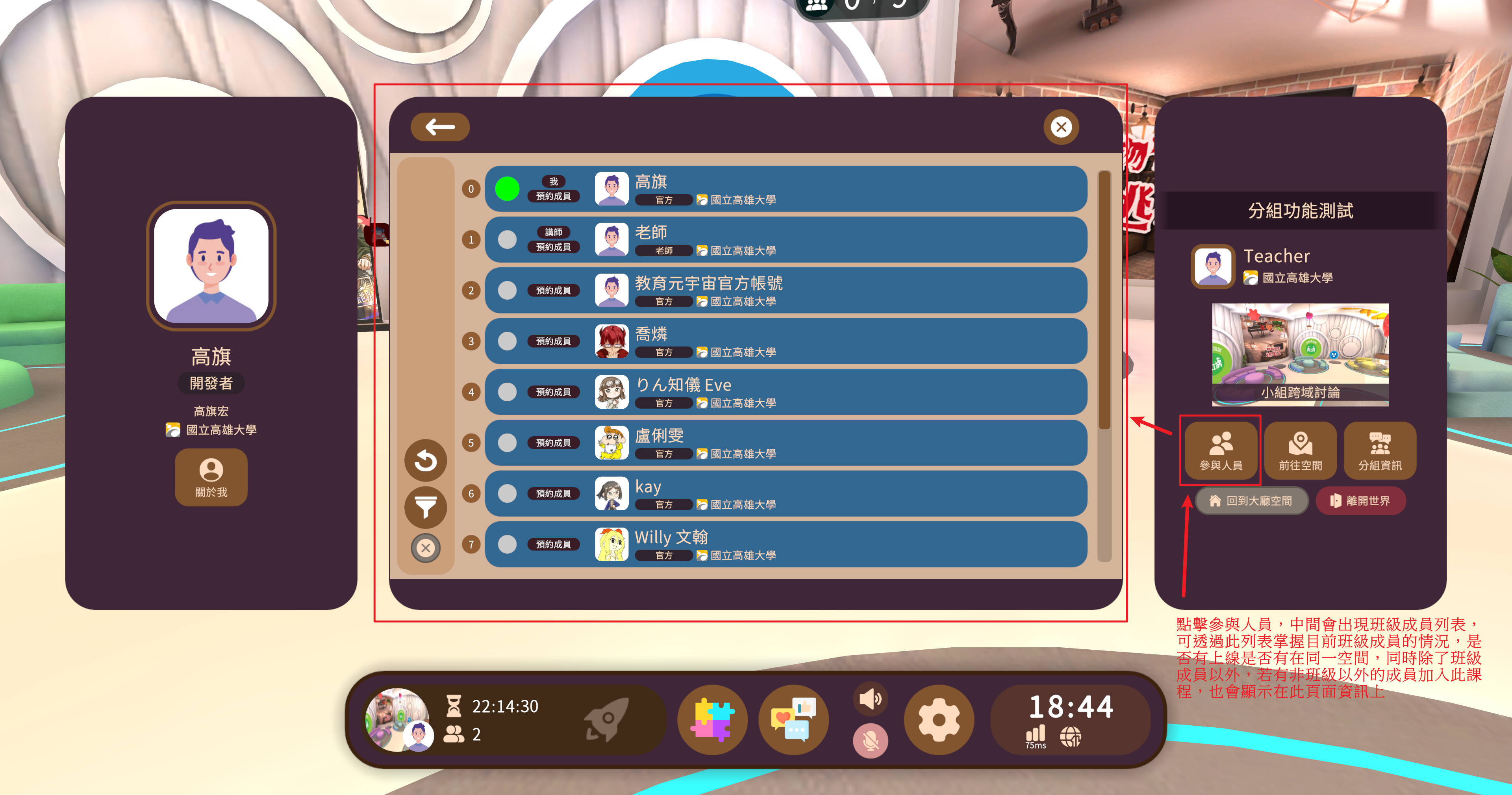
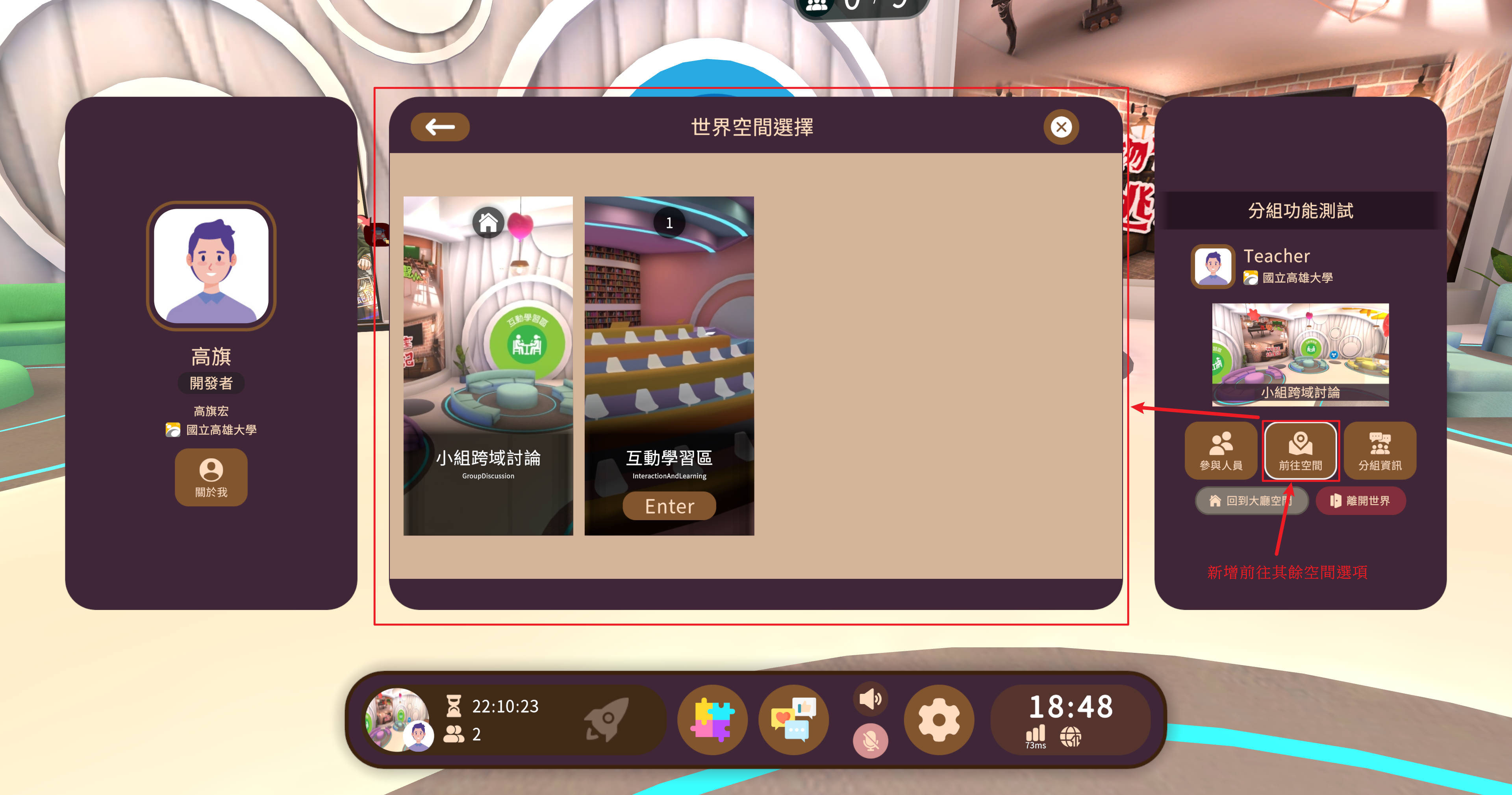
In course pages, you can directly view group information and class member status.
- For public courses, you can also see visitors who are not class members entering, making it convenient to grasp overall space dynamics.
How to Use Group Functions
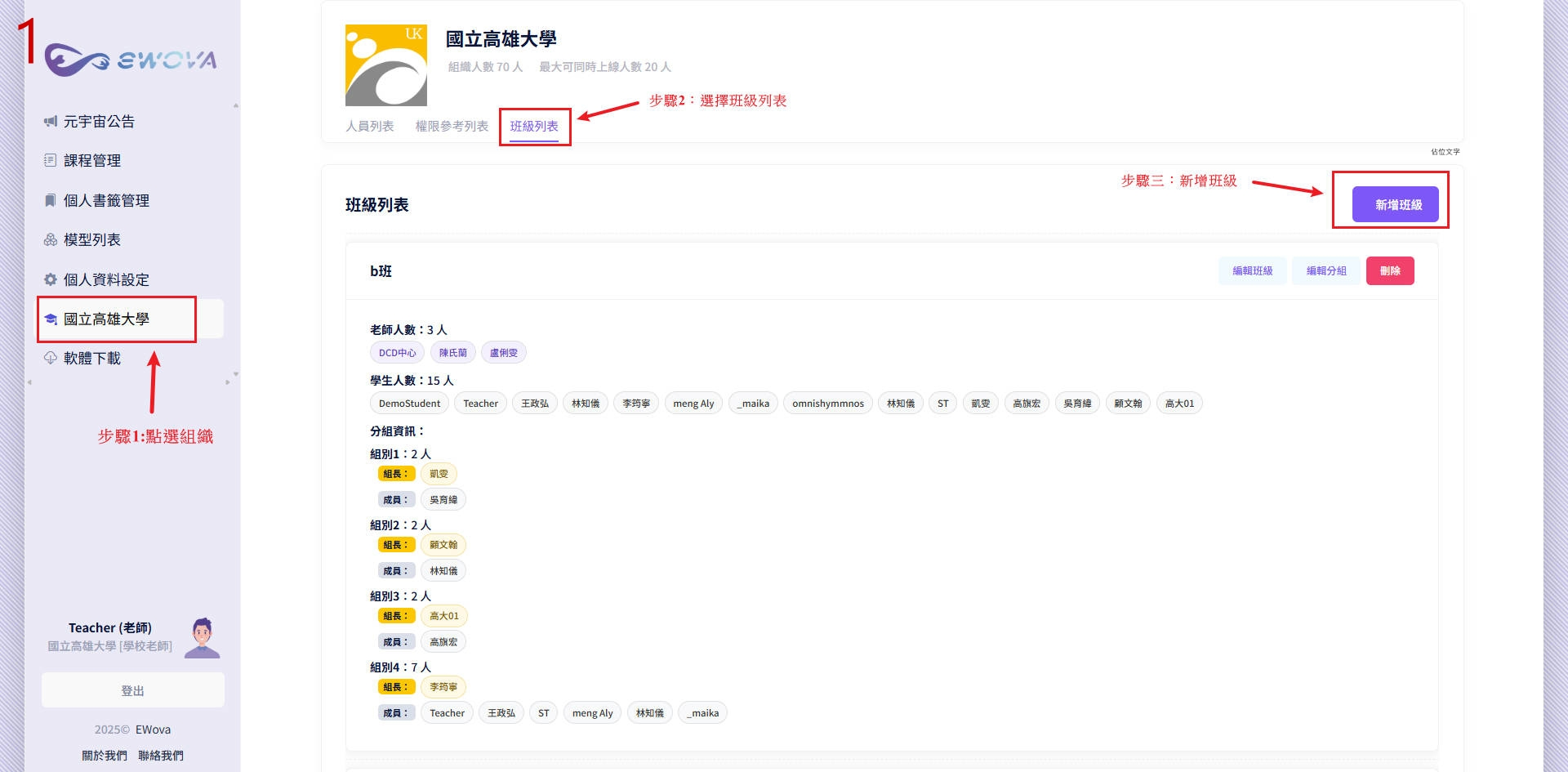
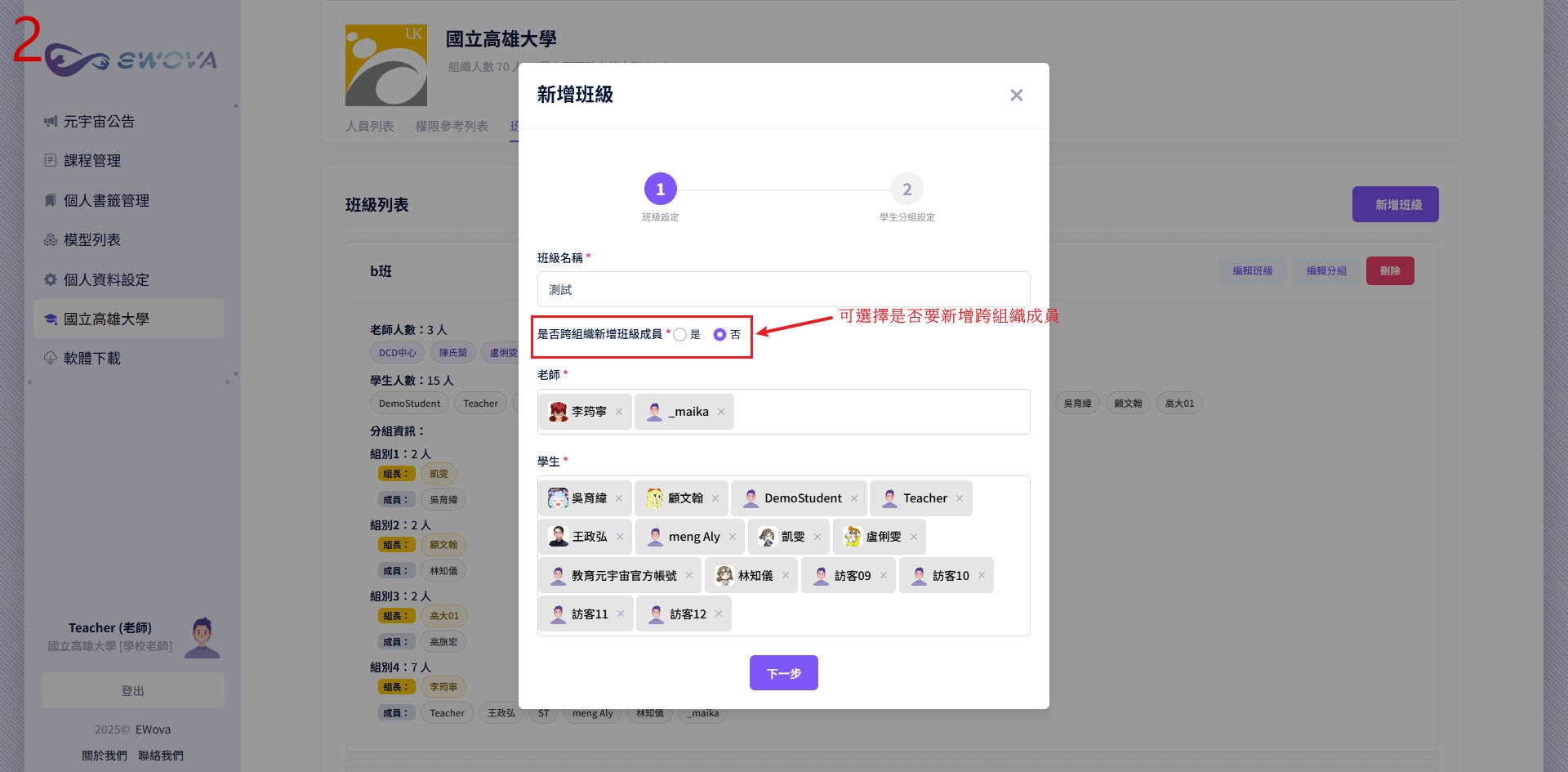
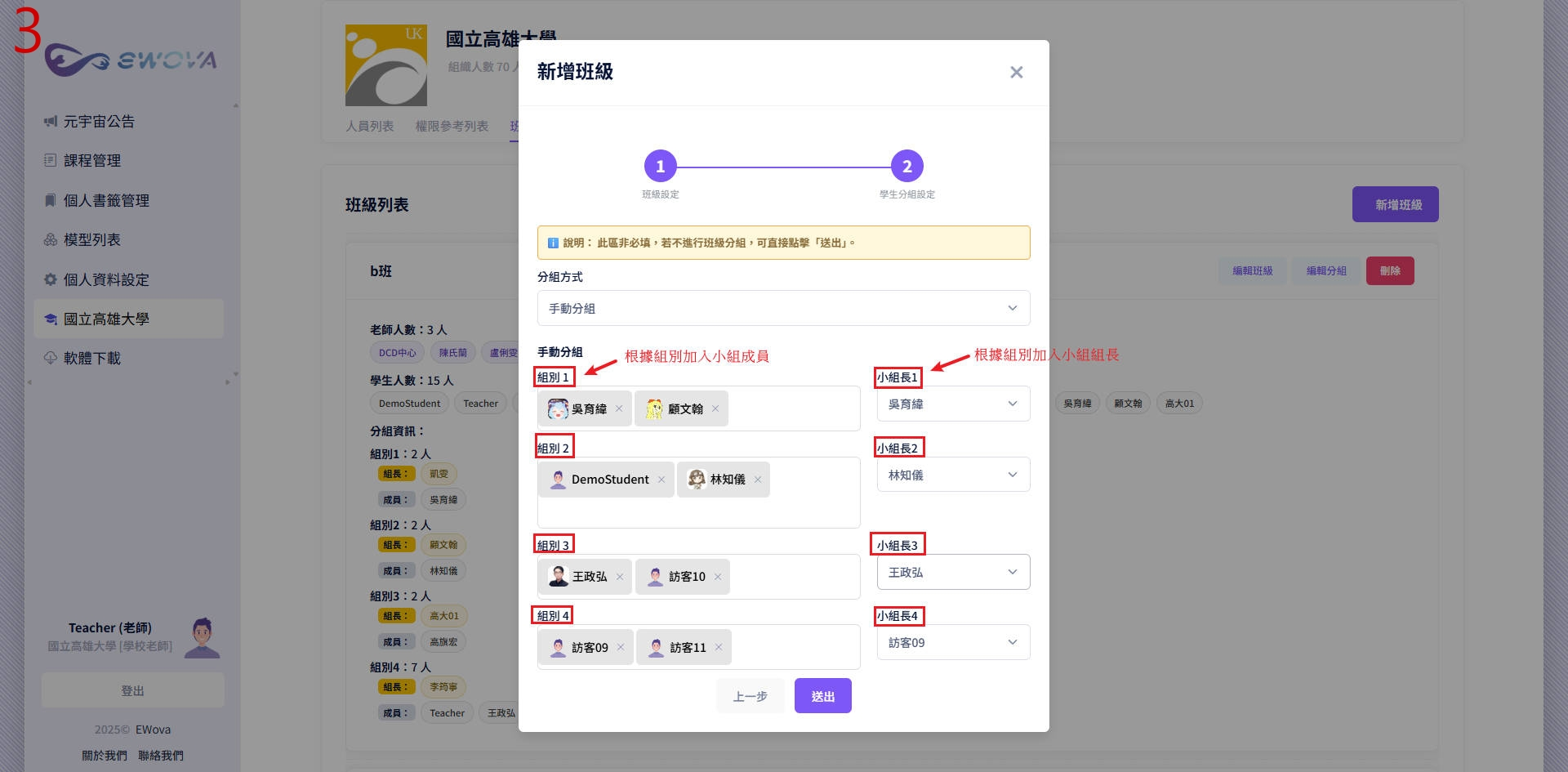
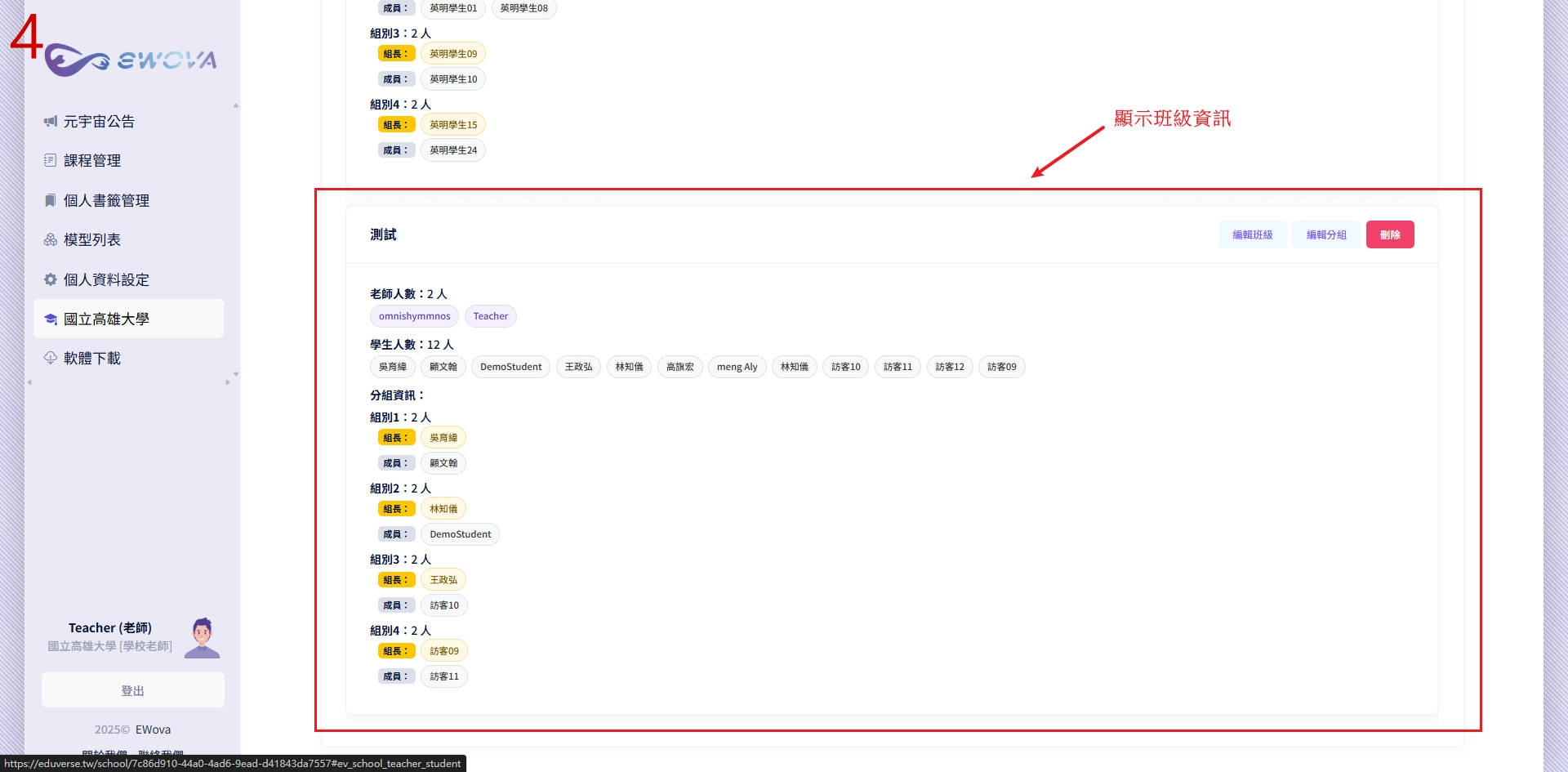
Adding Groups When Creating New Classes
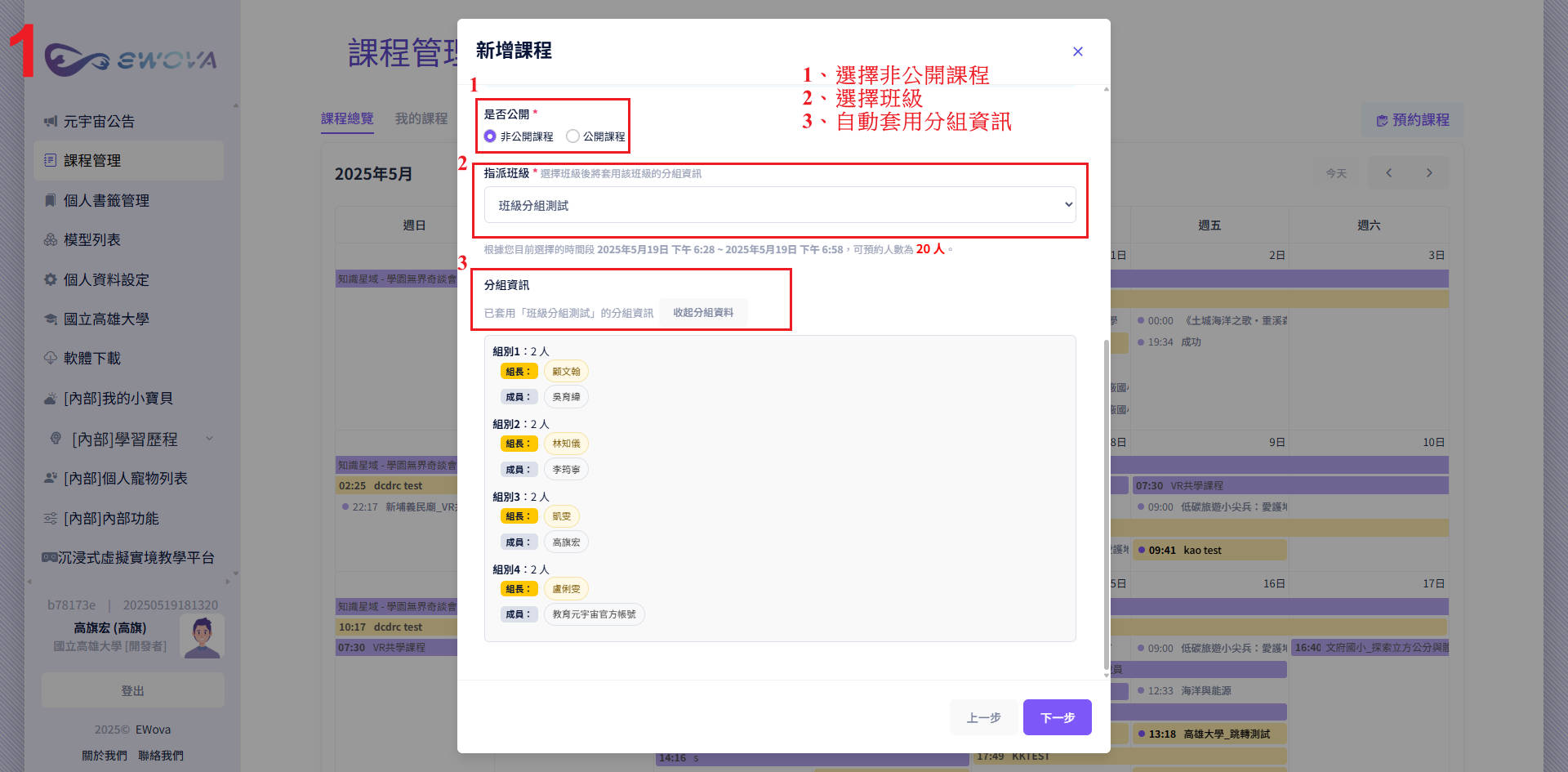
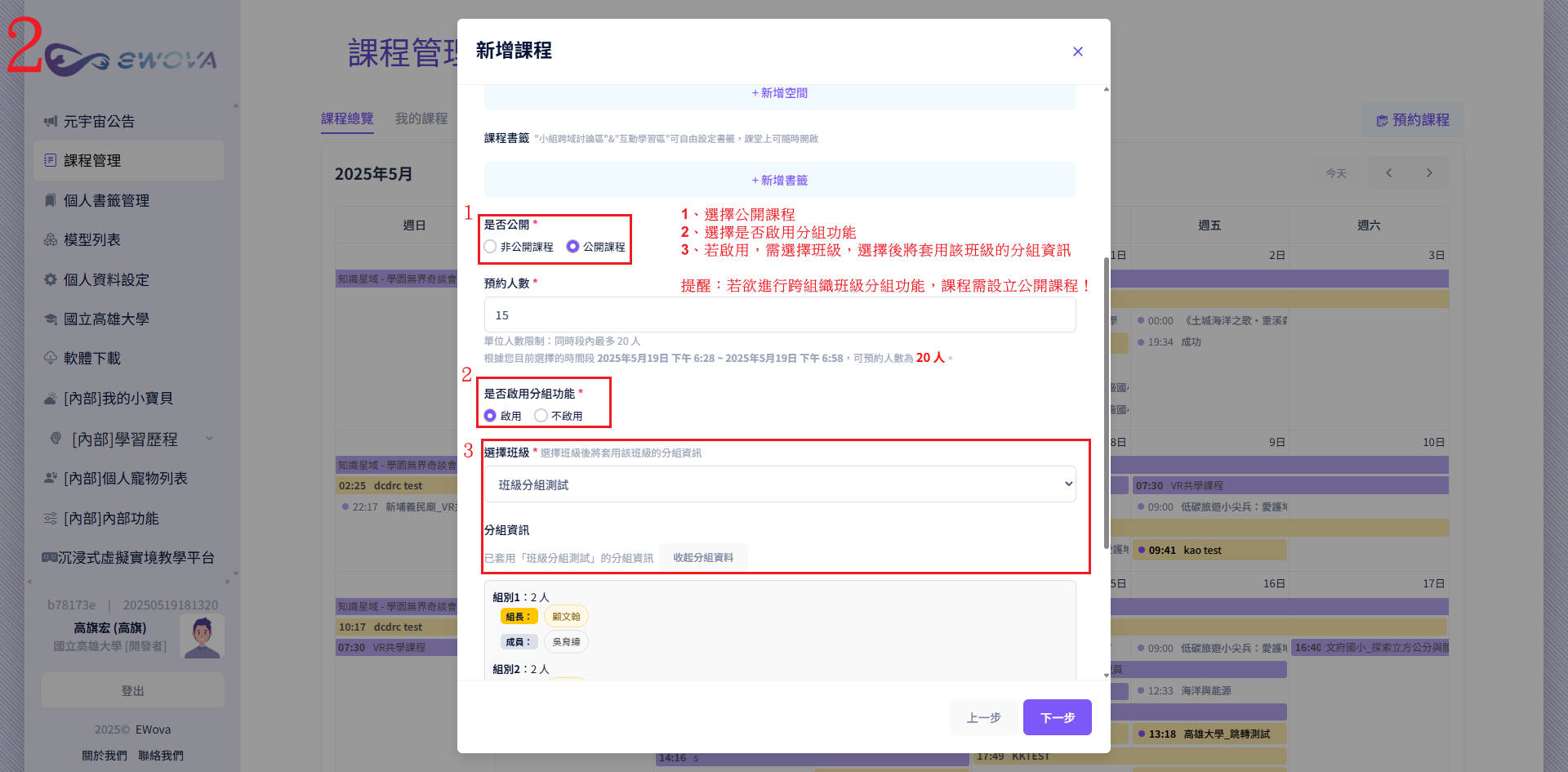
EWova New Interface
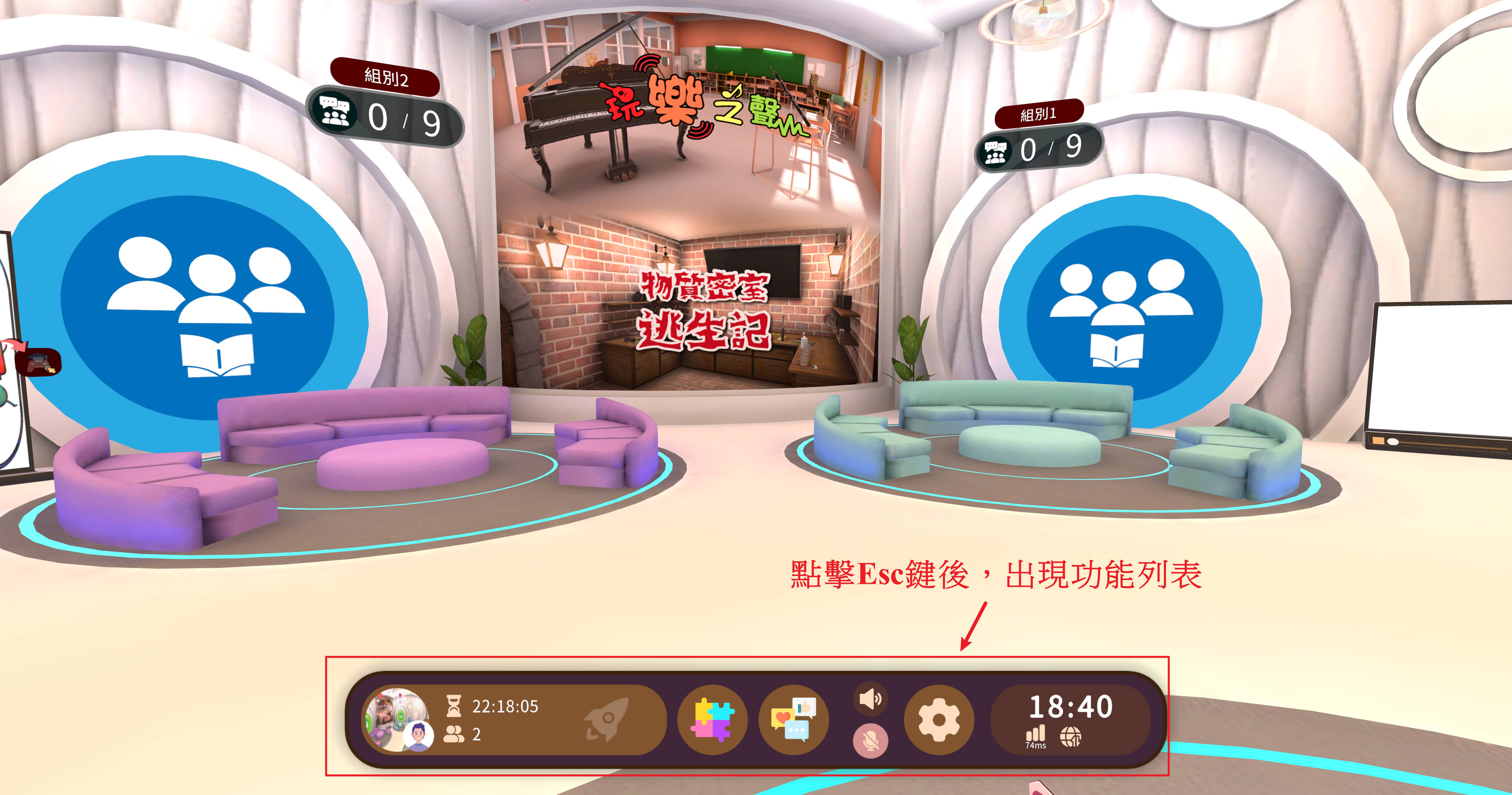
Fixes and Optimizations
🛠 Black Screen Issue Improvement
For the black screen situations that some users might experience when multiple people enter spaces simultaneously, we have optimized the related mechanisms. From recent observations, the problem has been improved. If individual cases still occur, please feel free to report them anytime, and we will continue to monitor and adjust.
🛠 Space Clearing Mechanism Adjustment
The previously mentioned "automatic resource clearing when space is empty" mechanism indeed made it inconvenient for teachers when setting up teaching scenarios. We have started adjusting this part, but due to multiple mechanisms involved and the need for more complete testing, this version could not be released as scheduled. If there are further updates, we will announce them separately. Please pay attention and be patient during usage.